
Introduction
Fire alarm systems are an essential part of building safety. They help detect potential fire incidents and provide alerts that allow occupants to respond quickly. Designing these systems requires careful planning, accurate device placement, clear documentation, and coordination with the building’s architectural and electrical layouts. For engineers and fire protection professionals, specialized design software can make these tasks more organized and efficient.
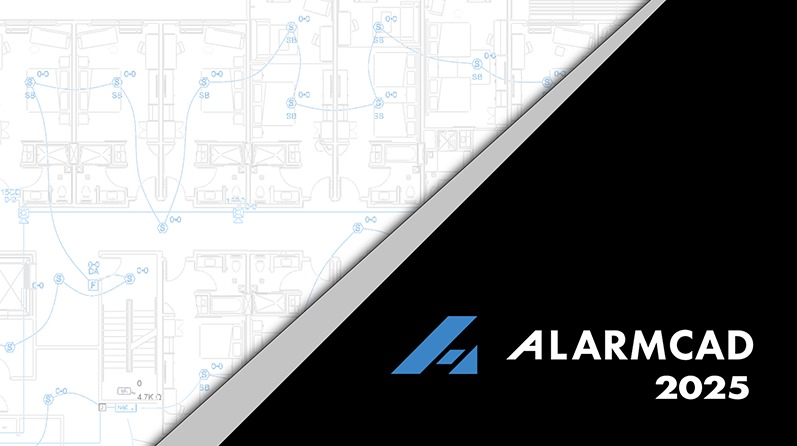
AlarmCAD 2025 v14.2.21.0 is a computer-aided design application developed for fire alarm system planning and drawing preparation. It provides a CAD-based working environment for professionals who need to create and manage fire alarm layouts as part of building design and safety projects.
By bringing fire alarm design tasks into a dedicated drafting workflow, AlarmCAD can help users organize system components, prepare technical drawings, and maintain clearer project documentation.
Key Features of AlarmCAD 2025
1. Fire Alarm Device Placement
Device placement is one of the most important stages of fire alarm system design. AlarmCAD provides tools for adding fire alarm components to project drawings and managing their properties.
Designers can work with different system elements, including control panels, initiating devices, notification appliances, modules, and other components. Organizing these elements within a CAD drawing helps maintain a clearer representation of the proposed installation.
2. Circuit Design and Wire Path Management
Fire alarm devices must be connected according to the intended system configuration. AlarmCAD includes circuit and wire path tools that help designers establish connections between appliances and their associated sources.
Users can manage circuit assignments, adjust connections, and review wiring information within the drawing environment. These tools can be particularly useful when working on projects that contain multiple devices and circuit paths.
3. Electrical and Battery Calculations
Electrical calculations are an important part of fire alarm system planning. Incorrect power requirements or voltage levels can affect the reliability of connected equipment.
AlarmCAD includes calculation capabilities for evaluating circuit conditions, voltage drop, and battery requirements. These functions can help designers review electrical information and prepare supporting project documentation.
However, calculation results depend on accurate device specifications, cable information, and project settings. They should always be reviewed by qualified professionals before being used for final design approval.
4. Fire Alarm Riser Diagrams
Riser diagrams provide a structured overview of system connections across different building levels. They help engineers understand how equipment and circuits are arranged throughout a project.
AlarmCAD includes tools for preparing standard riser diagrams. Its 2025 release also introduced improvements that allow elements on different floor levels to be displayed according to their System Level ID values.
This can make multi-level project documentation easier to organize and review.
5. Parts and Cable Profile Management
Different fire alarm projects may require different components and cable configurations. AlarmCAD provides parts profile management tools that help designers organize the components available within their drawings.
The 2025 release introduced a separate Cable Profile Manager tab, allowing users to manage available cable parts independently. This can help keep cable selection more organized when configuring circuits and wire paths.
6. PDF Background Import
Architectural plans and reference drawings are often supplied in PDF format. AlarmCAD 2025 introduced the ability to import PDF files directly into model space.
This feature can help designers use existing plans as backgrounds when preparing fire alarm layouts. It may reduce the need for manually recreating reference information before beginning the design process.
7. Appliance Base Tool
The Appliance Base tool introduced in AlarmCAD 2025 allows users to select an appliance base and the appliance attached to it during the same placement process.
This provides a more convenient way to configure compatible components while preparing a drawing. It can also help reduce repetitive steps when adding similar equipment throughout a project.
8. Drawing and PDF Export Improvements
Clear documentation is essential when sharing engineering drawings with clients, contractors, and project reviewers.
AlarmCAD 2025 includes improvements to text display intended to reduce inconsistencies between different rendering methods and PDF exports. This can help maintain more consistent text presentation when drawings are reviewed or distributed.
Who Can Benefit from AlarmCAD 2025?
AlarmCAD is designed primarily for professionals involved in fire alarm system planning and documentation.
Its potential users include:
-
Fire Alarm Designers: Professionals responsible for preparing device layouts and circuit drawings.
-
Fire Protection Engineers: Specialists who develop and review fire safety system designs.
-
Electrical Contractors: Teams involved in planning and coordinating fire alarm installations.
-
CAD Technicians: Drafting professionals who prepare technical drawings for engineering projects.
-
System Integrators: Specialists who coordinate fire alarm equipment, connections, and system documentation.
The software is most relevant to projects that require dedicated fire alarm design tools rather than general-purpose CAD drafting alone.
Benefits of Using AlarmCAD Professional
Organized Design Workflow
Managing devices, circuits, wire paths, and technical information within a dedicated design environment can make project details easier to organize.
Reduced Repetitive Drafting
Specialized placement, connection, and reporting tools can reduce some repetitive manual tasks. This allows designers to focus more attention on reviewing project requirements and checking drawing accuracy.
Better Technical Documentation
Riser diagrams, device information, circuit reports, and battery calculations can help communicate the proposed system design to other project participants.
Improved Drawing Coordination
PDF background import and CAD-based drawing tools can support coordination with existing building plans. Designers should still verify alignment, dimensions, and drawing information before completing their layouts.
System Compatibility and Important Considerations
Before installing AlarmCAD 2025 v14.2.21.0, users should review the system requirements associated with their specific release and edition.
Important considerations include:
-
Confirming compatibility with the installed Windows version.
-
Checking processor, RAM, graphics, and available storage requirements.
-
Reviewing licensing and activation conditions.
-
Confirming compatibility with existing CAD drawings and project files.
-
Keeping backups before opening or converting older project drawings.
AlarmCAD’s 2025 documentation also warns that opening 2025 drawing files in older versions may cause unexpected changes to text properties. Therefore, maintaining backups and using compatible software versions is important when collaborating on existing projects.
Conclusion
AlarmCAD 2025 v14.2.21.0 is a specialized CAD-based application for fire alarm system design and technical documentation. Its features cover important parts of the design workflow, including device placement, circuit management, wire path configuration, electrical calculations, riser diagrams, and reporting.
The 2025 release adds useful workflow improvements, including PDF background import, enhanced riser diagrams, appliance base selection, cable profile management, and text display refinements. These capabilities can help fire alarm professionals organize their drawings and manage project information more effectively.
For engineering firms, contractors, and CAD designers working on fire alarm projects, AlarmCAD offers a focused environment for preparing and reviewing system layouts. Final designs and calculations should always be checked by qualified professionals against applicable safety codes and project requirements.
Our Paid Service
If you want to Purchase Cracked Version / KeyGen Activator /License Key
Contact Us on our Telegram ID :
Crack Software Policies & Rules:
Lifetime Activation, Unlimited PCs/Users,
You Can test through AnyDesk before Buying,
And When You Are Satisfied, Then Buy It.
 saif