
Introduction
Fire sprinkler systems are an essential part of modern building safety. They are designed to detect and control fires by distributing water through strategically positioned sprinkler heads and connected piping networks. Planning these systems requires accurate drawings, proper pipe sizing, hydraulic calculations, and careful coordination with building layouts.
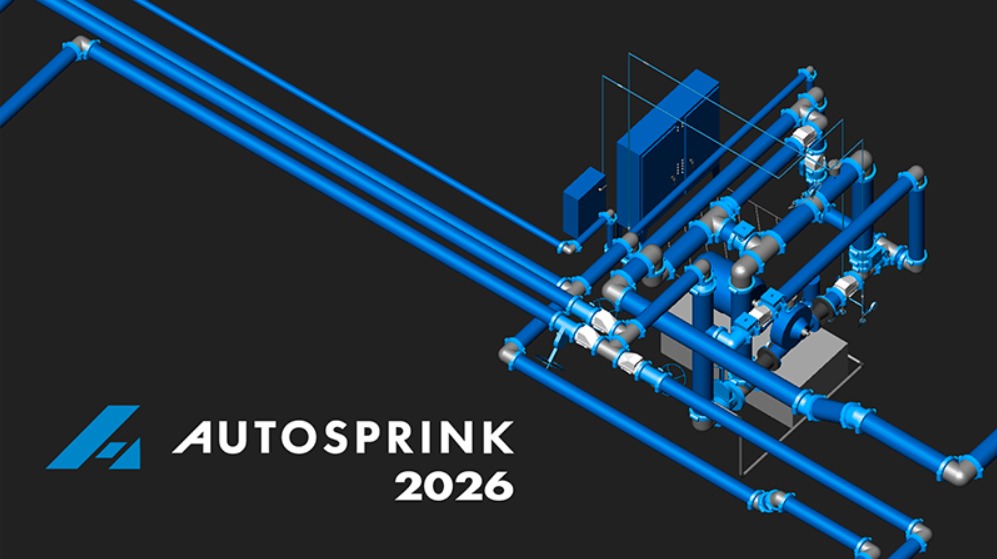
AutoSPRINK 2026 Platinum v21.3.6.0 is a specialized computer-aided design application developed for fire sprinkler system engineering. It provides a dedicated environment for creating sprinkler layouts, managing piping networks, positioning system components, and performing hydraulic calculations. Rather than relying entirely on general-purpose drafting tools, designers can use fire protection-focused functions to organize their projects and prepare technical documentation.
The software is intended for fire protection engineers, sprinkler system designers, contractors, and CAD professionals involved in the planning and documentation of fire suppression systems.
Key Features of AutoSPRINK 2026 Platinum
1. 2D and 3D Fire Sprinkler System Design
AutoSPRINK provides a dedicated CAD environment for designing fire sprinkler systems in both 2D and 3D. Designers can create piping layouts, position sprinkler heads, add fittings, and organize system components within a project drawing.
The 3D modeling environment is particularly useful for reviewing pipe elevations, routing arrangements, and the relationship between sprinkler networks and building structures.
This approach can help designers identify layout problems and understand how the proposed installation fits within the available building space.
2. Advanced Hydraulic Calculations
Hydraulic calculations are essential for evaluating water flow and pressure requirements in fire sprinkler networks.
AutoSPRINK includes calculation tools that allow designers to analyze system demand, pressure conditions, pipe characteristics, and water supply performance. Users can define remote areas and review the hydraulic behavior of their proposed systems.
The software also supports different hydraulic calculation settings, including calculation methods and operating pressure limits.
These tools can assist professionals in evaluating system performance, but final calculations must be reviewed against applicable fire protection standards and project requirements.
Fire Sprinkler Design Software+1
3. Automated Pipe and Sprinkler Layout
Creating a sprinkler network involves positioning multiple components and connecting them through an organized piping arrangement.
AutoSPRINK provides specialized drawing and automation tools for working with pipes, sprinkler heads, fittings, and other system elements. Features such as automatic connections and drawing adjustments can help reduce repetitive drafting operations.
Designers can modify pipe properties, adjust component positions, and organize system layouts according to project specifications.
4. Hydraulic Analysis and Reporting
Technical reports are important for reviewing sprinkler system calculations and communicating design information.
AutoSPRINK 2026 introduces a rebuilt report generation system based on LaTeX for hydraulic and stock listing reports. This replaces the previous Crystal Reports engine and removes the need for a separate Crystal Reports installation.
Other reporting improvements include:
-
Updated NFPA-style hydraulic reports.
-
An optional pipe velocity display.
-
Improved hydraulic graph reporting.
-
Secondary water supply curves.
-
Better visibility of calculated pump pressure information.
These improvements can make hydraulic results easier to organize and review.
Fire Sprinkler Design Software+1
5. Fire Pump and Water Supply Analysis
Water supply conditions directly influence the performance of a sprinkler system. AutoSPRINK includes tools for configuring water supply information and evaluating pump-related hydraulic conditions.
The 2026 release adds a secondary water supply curve that can be displayed alongside the primary supply curve in hydraulic graph reports.
It also introduces a minimum residual pressure setting at the fire pump inlet. This helps designers evaluate suction-side pressure conditions and identify situations where the calculated pump inlet safety margin becomes negative.
These features provide additional information for reviewing water supply and pump performance during the design process.
Fire Sprinkler Design Software
6. New Control Module Components
Control modules are used in sprinkler installations where valves and monitoring devices are arranged at system zone connections.
AutoSPRINK 2026 introduces native Control Module elements. Designers can adjust their body length to represent different hardware dimensions while the associated internal components update according to the selected properties.
Control modules are also included in hydraulic calculations and represented in relevant reports.
This provides a more organized way to represent these assemblies within sprinkler system drawings.
Fire Sprinkler Design Software
7. Ball Drip Valve Support
Another addition in AutoSPRINK 2026 is the Ball Drip Valve component.
This type of valve is commonly associated with dry and pre-action sprinkler systems, where it helps drain small amounts of accumulated water or condensation.
The component can be accessed through the Parts Picker Pane and placed directly into the drawing.
Having dedicated components available within the design environment can make it easier to represent specialized sprinkler system arrangements.
Fire Sprinkler Design Software
8. Sprinkler Coverage and Spacing Tools
Proper sprinkler positioning is important when developing a fire protection layout. Designers need to consider coverage areas, spacing requirements, branch lines, and other project-specific conditions.
AutoSPRINK provides coverage cell tools for organizing sprinkler spacing and layout settings.
In the 2026 release, the Coverage Cell dialog has been reorganized to bring related sprinkler settings, variable spacing logic, fixed spacing options, and branch line layout properties into a more structured interface.
This can help users manage coverage-related information more efficiently.
Fire Sprinkler Design Software
9. Pipe, Fitting, and Component Management
A sprinkler network contains different pipe sizes, fittings, valves, and installation components. Managing their properties correctly is important for both design documentation and hydraulic analysis.
AutoSPRINK provides tools for configuring pipe characteristics, hydraulic fittings, material information, and component properties.
Users can work with pipe labels, lengths, diameters, elevations, and other technical details. These options help maintain organized drawings and provide relevant information for project review.
10. CAD Import and Export
Fire protection projects frequently involve collaboration between different engineering and drafting teams.
AutoSPRINK supports several file exchange options, including:
-
AutoCAD DWG files
-
ASCII pipe and sprinkler data
-
IFC files
-
Revit export files
-
3D Studio models, where supported by the license
The availability of particular export formats depends on the selected license edition. These options can help teams exchange project information with other design and coordination workflows.
Fire Sprinkler Design Software+1
What Is New in AutoSPRINK 2026?
The 2026 release introduces several changes focused on hydraulic reporting, component management, and everyday design operations.
Some notable improvements include:
-
Rebuilt hydraulic and stock listing report generation.
-
Secondary water supply curve support.
-
Additional fire pump inlet pressure settings.
-
Native Control Module components.
-
Ball Drip Valve support.
-
Improved Coverage Cell organization.
-
More flexible cable and pipe-related project information.
-
Updated drawing and export behavior.
These changes are intended to improve the overall sprinkler design workflow and provide more detailed information during project development.
Fire Sprinkler Design Software
Who Can Benefit from AutoSPRINK Platinum?
AutoSPRINK Platinum is designed for professionals working with fire sprinkler system engineering and documentation.
Its potential users include:
-
Fire Protection Engineers: Professionals responsible for evaluating sprinkler system designs and hydraulic requirements.
-
Sprinkler System Designers: Specialists who prepare piping layouts, sprinkler arrangements, and technical drawings.
-
CAD Technicians: Drafting professionals who work with fire protection plans and engineering documentation.
-
Fire Protection Contractors: Companies involved in planning and coordinating sprinkler installations.
-
Engineering Consultants: Teams preparing fire safety designs for commercial, industrial, and residential buildings.
The Platinum edition is particularly relevant to users who need advanced design and analysis capabilities. Available features should be checked against the edition comparison and license terms.
Benefits of Using AutoSPRINK 2026 Platinum
More Organized Design Process
A dedicated sprinkler design environment helps users manage pipes, fittings, sprinkler heads, and other system components within a structured workflow.
Detailed Hydraulic Evaluation
Hydraulic calculation and reporting tools allow professionals to examine water supply conditions, system demand, and pressure requirements.
Improved Project Coordination
Three-dimensional modeling and CAD file exchange can help designers coordinate sprinkler layouts with other building services.
Better Technical Documentation
Hydraulic reports, stock listings, and drawing tools provide useful information for project review, communication, and installation planning.
Specialized Fire Protection Tools
Unlike general-purpose CAD applications, AutoSPRINK includes functions specifically developed for sprinkler system design and related engineering tasks.
System Requirements and Compatibility
Before installing AutoSPRINK 2026 Platinum v21.3.6.0, users should review the system requirements and licensing information for the exact release.
Important considerations include:
-
Compatible Windows operating system.
-
Supported processor and system architecture.
-
Sufficient RAM for larger design projects.
-
Available storage for software and project files.
-
Graphics compatibility for 3D modeling.
-
License activation and subscription requirements.
For demanding projects involving complex 3D models and extensive hydraulic calculations, a capable workstation can provide a smoother working experience.
Users should also maintain backups of important drawings and verify compatibility before opening older project files in a newer software version.
Conclusion
AutoSPRINK 2026 Platinum v21.3.6.0 is a specialized CAD application for professional fire sprinkler system design, hydraulic calculations, and engineering documentation. Its 2D and 3D modeling environment, component management tools, hydraulic analysis capabilities, and reporting functions provide a focused workflow for fire protection projects.
The 2026 release brings useful additions, including Control Modules, Ball Drip Valve support, secondary water supply curves, updated hydraulic reports, and improved fire pump pressure settings.
For sprinkler designers, fire protection engineers, and contractors, AutoSPRINK Platinum can support the preparation and review of detailed fire sprinkler layouts. As with any engineering application, accurate project information and professional verification remain essential for producing safe and compliant designs.
Our Paid Service
If you want to Purchase Cracked Version / KeyGen Activator /License Key
Contact Us on our Telegram ID :
Crack Software Policies & Rules:
Lifetime Activation, Unlimited PCs/Users,
You Can test through AnyDesk before Buying,
And When You Are Satisfied, Then Buy It.
 saif