
Introduction
Virtual tours have become an effective way to present real-world locations through engaging digital experiences. From real estate properties and hotels to museums, educational institutions, and commercial spaces, businesses increasingly use 360-degree presentations to help audiences explore places remotely. Instead of relying only on photographs or conventional videos, virtual tours allow viewers to look around different areas, move between scenes, and interact with selected elements.
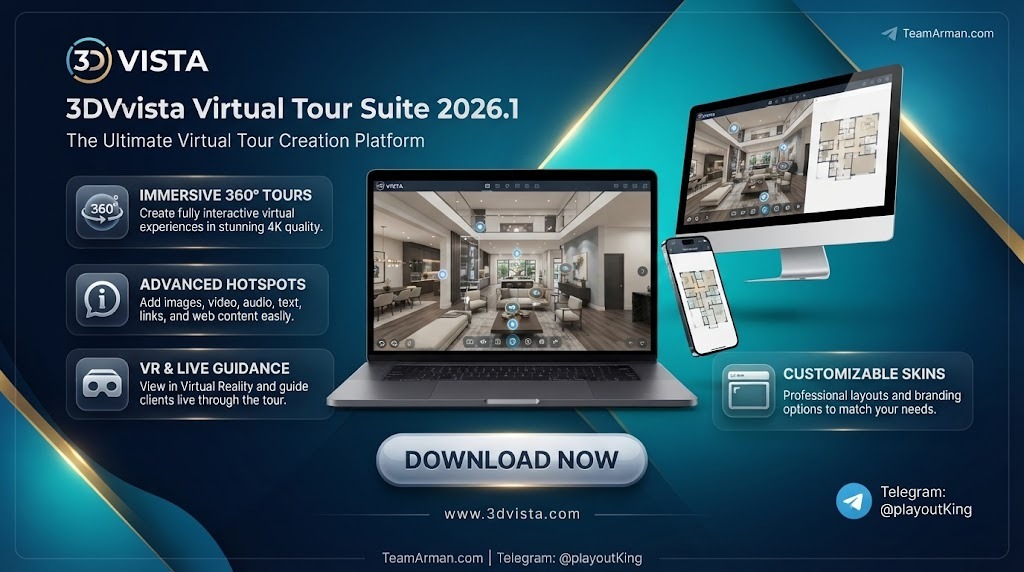
3DVista Virtual Tour Suite 2026.1 is a desktop-based virtual tour creation application designed to help users build interactive panoramic experiences. It provides tools for combining 360-degree photographs, adding navigation points, organizing different locations, and incorporating multimedia elements into a virtual presentation. The software is useful for professionals who want to create immersive tours without developing an entire interactive experience from scratch.
What Is 3DVista Virtual Tour Suite Used For?
3DVista is designed for creating virtual environments that people can explore through a web browser, computer, tablet, or compatible VR device. It is particularly useful when a business needs to show a location in greater detail than ordinary photographs can provide.
Common applications include:
-
Real Estate: Create virtual walkthroughs of houses, apartments, offices, and commercial properties.
-
Tourism and Hospitality: Present hotels, resorts, restaurants, and tourist destinations.
-
Architecture and Interior Design: Showcase completed spaces, design concepts, and interior layouts.
-
Museums and Galleries: Build interactive exhibitions with additional information about displayed objects.
-
Education and Training: Develop virtual learning environments and guided experiences.
-
Commercial Marketing: Present showrooms, facilities, and products through interactive visual content.
Key Features of 3DVista Virtual Tour Suite 2026.1
1. Interactive 360° Virtual Tours
The software allows users to combine panoramic images into connected virtual environments. Visitors can look around a scene, explore different directions, and move between locations using interactive navigation points. This makes it possible to create a walkthrough experience from a collection of panoramic photographs.
2. Interactive Hotspots
Hotspots add clickable areas to a virtual tour. They can display information, open images, play audio or video, link to another panorama, or direct visitors to external content. These elements help creators explain important details without overcrowding the main presentation.
3. 360-Degree Video Integration
Users can incorporate compatible 360-degree video content into their projects. This is useful for presenting moving environments, guided demonstrations, and immersive promotional material. Interactive elements can also be added to supported video scenes, giving viewers additional ways to explore the content.
4. Spatial and Ambisonic Audio
Version 2026.1 introduces support for ambisonic audio and additional Spatial Audio options. These capabilities can make sound feel more connected to the viewer’s position and direction within a virtual environment. The update also supports 360-degree videos containing ambisonic audio, which can be valuable for immersive presentations.
5. Customizable Skins and Interfaces
A virtual tour’s interface affects how visitors navigate and interact with its content. 3DVista provides customization tools for buttons, menus, information panels, icons, and other visual elements. Users can adjust the appearance of their tours to match a company identity, project theme, or presentation style.
6. Maps and Interactive Floor Plans
Maps and floor plans can help visitors understand the layout of a property or building. Creators can connect these elements to panoramic scenes, allowing viewers to move between rooms or different areas more conveniently. This is particularly useful for larger properties, hotels, exhibitions, and multi-floor environments.
7. Virtual Reality Compatibility
The software supports VR-compatible virtual tour experiences, allowing users to explore supported projects through compatible headsets. This creates additional presentation opportunities for real estate, architecture, tourism, and training projects. The available features can vary depending on the selected media and VR mode.
8. Background Blur and Apple Silicon Support
The 2026.1 update introduces Background Blur options for supported interface elements, such as skins and popups. It also adds native support for Apple Silicon Mac computers. These improvements provide additional visual customization and better compatibility with newer Mac hardware.
Benefits of Using 3DVista Virtual Tour Suite
One of the main advantages of 3DVista is that it brings panoramic photography, multimedia content, navigation, and interactive elements into a single project workflow. Instead of presenting images separately, users can organize them into a connected experience.
Other practical benefits include:
-
More engaging presentations: Visitors can explore spaces rather than simply viewing static photographs.
-
Flexible customization: Interface elements can be adjusted to suit different projects and brands.
-
Multimedia integration: Images, videos, audio, and information panels can be combined in one tour.
-
Multiple viewing options: Published projects can support web-based, offline, and compatible VR viewing.
-
Professional applications: The software can support property marketing, tourism, education, architecture, and other visual presentation projects.
However, the quality of the final result depends heavily on the source panoramas, camera equipment, media optimization, and project design. Large multimedia projects may also require more storage and processing resources.
How to Create a Virtual Tour with 3DVista
The general workflow begins with preparing panoramic photographs or compatible 360-degree videos. These files are then imported into a new project, where users can arrange the scenes and establish connections between different locations.
After organizing the panoramic content, creators can add hotspots, information panels, images, videos, and audio. Maps or floor plans can also be included where appropriate. The interface can then be customized with suitable buttons, menus, and visual elements.
Before publishing, it is important to preview the tour and test its navigation. This helps identify broken connections, misplaced hotspots, and display issues. Once the project is ready, users can export it for supported online or offline viewing.
System Requirements and Compatibility
3DVista Virtual Tour Suite is a desktop application used to create and publish virtual tour projects. Its 2026.1 release includes native Apple Silicon support for compatible Mac computers. Users should check the application’s current system requirements before installation, particularly when working with large panoramas, high-resolution videos, or complex multimedia projects.
For a smoother workflow, a modern computer, sufficient RAM, available storage, and a capable graphics system are recommended. The resources required will depend on project size and the type of media being used.
Conclusion
3DVista Virtual Tour Suite 2026.1 is a professional solution for creating interactive 360-degree virtual tours and immersive digital presentations. Its combination of panoramic scenes, interactive hotspots, multimedia integration, customizable interfaces, floor plans, and VR compatibility makes it suitable for a wide range of professional applications.
The 2026.1 update adds useful improvements, including ambisonic audio support, additional Spatial Audio options, Background Blur controls, and native Apple Silicon compatibility. Whether used for real estate marketing, tourism, architectural presentations, or educational projects, the software provides a flexible environment for turning panoramic media into interactive experiences.
Our Paid Service
If you want to Purchase Cracked Version / KeyGen Activator /License Key
Contact Us on our Telegram ID :
Crack Software Policies & Rules:
Lifetime Activation, Unlimited PCs/Users,
You Can test through AnyDesk before Buying,
And When You Are Satisfied, Then Buy It.
 Sajeel Irfan