
Indroduction
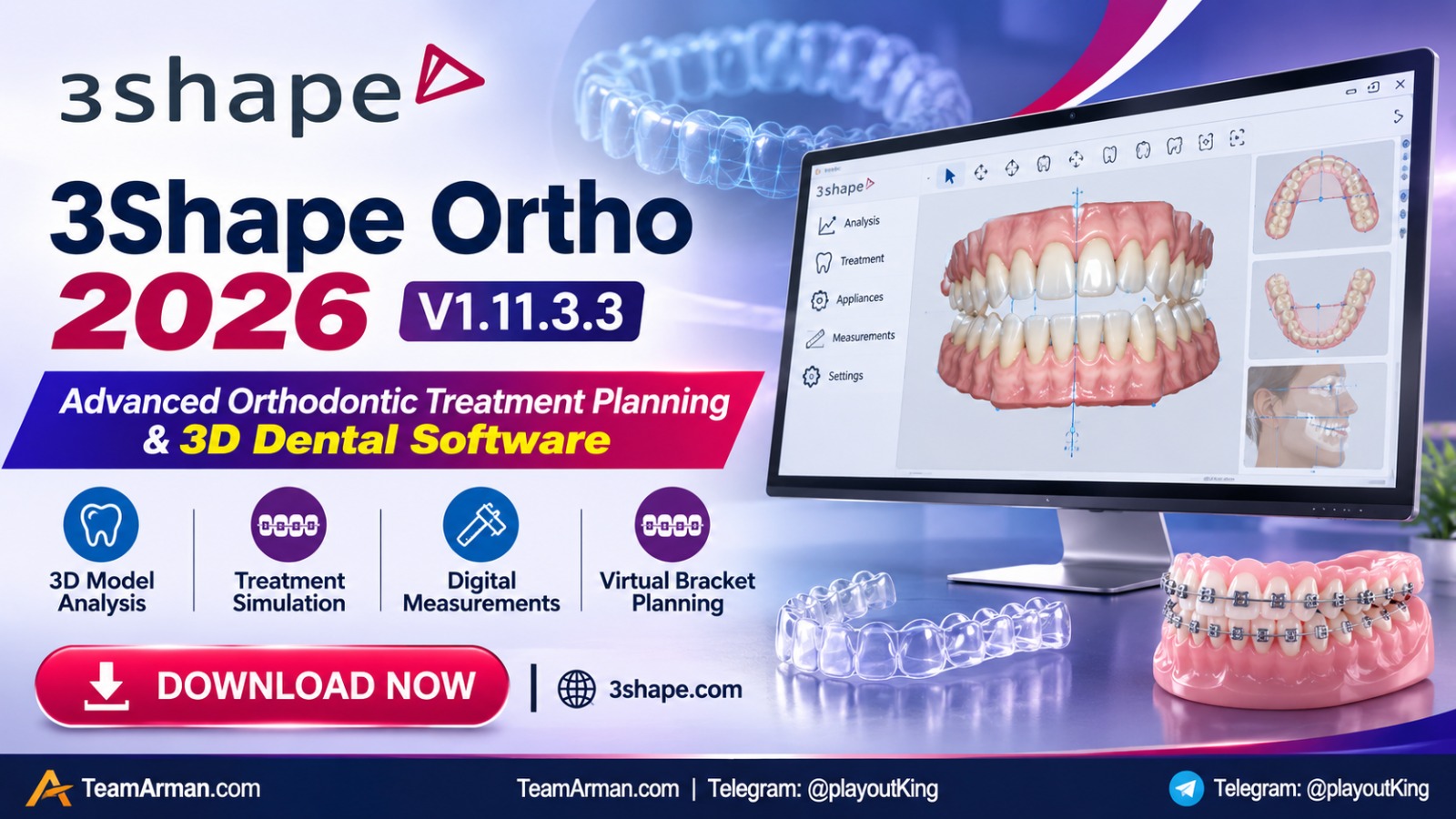
Digital technology has changed how orthodontic professionals examine dental structures, organize patient records, and prepare treatment plans. Traditional physical models are increasingly complemented by digital impressions and three-dimensional representations that make it easier to inspect dental anatomy and evaluate different treatment possibilities. 3Shape Ortho 2026 V1.11.3.3 is presented as a professional orthodontic software release designed for digital dental analysis, treatment planning, 3D model management, and virtual orthodontic workflows.
The 3Shape Ortho System provides a collection of specialized tools for orthodontists, dental laboratories, and trained dental professionals. Its modular environment supports the examination of digital dental models, measurement of dental structures, visualization of tooth positions, and preparation of selected orthodontic appliances.
By bringing different digital dentistry tasks into a connected workflow, the platform helps professionals organize orthodontic cases and work with detailed three-dimensional dental information.
What Is 3Shape Ortho 2026?
3Shape Ortho System is a professional digital orthodontic platform used to manage, inspect, analyze, and work with three-dimensional dental models. It supports orthodontic workflows involving digital impressions, diagnostic measurements, treatment simulations, and virtual appliance design.
The software is organized into specialized modules rather than functioning as a single-purpose application. Depending on the available configuration, users can work with tools for orthodontic analysis, virtual treatment planning, bracket positioning, and customized dental appliance development.
Digital study models can be used to examine tooth arrangements and evaluate different measurements. The system also supports combining relevant imaging information, including compatible CBCT data and two-dimensional dental images, with surface scans.
This approach provides a structured digital environment for orthodontic case assessment and documentation.
Key Features of 3Shape Ortho 2026
1. Advanced 3D Dental Model Management
Three-dimensional dental models provide detailed information about tooth surfaces, arch structures, and individual dental positions.
3Shape Ortho System allows professionals to import and manage digital orthodontic models for examination and analysis. These models can originate from compatible intraoral scanning workflows, laboratory scanners, or supported third-party files.
Important capabilities include:
- Importing digital dental models
- Organizing patient and case information
- Viewing upper and lower dental arches
- Inspecting individual tooth structures
- Managing digital study models
- Preparing models for additional orthodontic workflows
This functionality helps reduce dependence on physical study-model storage and makes digital case information easier to organize.
2. Orthodontic Measurement and Diagnostic Analysis
Accurate measurements are important when evaluating dental relationships and orthodontic conditions.
The Ortho Analyzer component provides measurement and diagnostic tools that help professionals examine different aspects of dental anatomy.
Its analytical capabilities include:
- Bolton ratio analysis
- Overjet and overbite measurements
- Dental arch measurements
- Tooth width calculations
- Space analysis
- Occlusion assessment
- Two-dimensional and three-dimensional measurements
These tools help orthodontic professionals review dental structures and document relevant measurements during case assessment.
3. Virtual Orthodontic Treatment Planning
Treatment planning is an important part of digital orthodontics. A digital model allows professionals to explore possible changes in tooth positioning before developing a clinical treatment strategy.
The Ortho Planner workflow supports virtual tooth movement and treatment simulation.
Depending on the licensed functionality, users can:
- Modify individual tooth positions
- Examine proposed dental arrangements
- Simulate extraction-related scenarios
- Evaluate interproximal reduction planning
- Create virtual treatment setups
- Review different stages of a proposed plan
These visualizations are intended to assist trained professionals in evaluating treatment possibilities. They do not independently determine whether a simulated movement is biologically or clinically achievable.
4. CBCT and 2D Image Integration
Orthodontic assessment may involve several types of diagnostic information.
3Shape Ortho System supports combining compatible three-dimensional surface scans with additional imaging information, including DICOM-based CT data and two-dimensional images.
This can help professionals review different sources of patient information within a connected digital case environment.
Supported workflows may include:
- Surface scan alignment
- CBCT data integration
- Cephalometric image alignment
- Two-dimensional image overlays
- Combined digital case examination
The availability of specific imaging tools depends on the installed modules and supported input data.
5. Virtual Bracket Placement and Indirect Bonding
Bracket positioning is an important consideration in fixed orthodontic treatment.
The software provides specialized workflows for virtual bracket placement on three-dimensional dental models. Professionals can examine bracket positions and prepare digital transfer solutions for indirect bonding procedures.
Relevant capabilities include:
- Virtual bracket positioning
- Bracket library integration
- Placement review
- Indirect bonding transfer design
- Preparation of compatible transfer trays
These tools can help dental laboratories and orthodontic professionals organize bracket-placement workflows with digital models.
6. Clear Aligner Treatment Workflows
Clear aligner development involves planning tooth movements and preparing a series of models representing different treatment stages.
The wider 3Shape orthodontic ecosystem includes dedicated clear aligner design capabilities. Depending on the available software modules and licensing, professionals can work with virtual setups, staged models, and production-related preparation.
Typical workflow elements include:
- Digital model preparation
- Virtual tooth arrangement
- Treatment staging
- Model generation
- Design review
- Export for compatible manufacturing workflows
The exact clear aligner tools should be checked against the licensed product configuration rather than assumed to be included in every Ortho System installation.
7. Customized Orthodontic Appliance Design
Different orthodontic cases may require specialized dental appliances.
The wider 3Shape product environment includes appliance design functionality for developing customized dental devices based on digital models.
Depending on the installed modules, supported applications can include:
- Orthodontic retainers
- Expanders
- Customized bands
- Splints
- Other dental appliances
Digital appliance design can support communication between orthodontic clinics and dental laboratories while providing a structured model-based workflow.
8. Digital Case Documentation and Management
Organizing patient information and associated digital models is an important part of orthodontic practice.
3Shape Ortho System supports patient and case management, allowing professionals to maintain digital study material and related analysis information.
A structured digital case environment can help users:
- Organize patient records
- Store dental model information
- Review previous case material
- Document diagnostic measurements
- Manage treatment-related files
- Support case communication
Digital documentation can also make it easier to retrieve relevant information during follow-up assessments.
9. STL Export and Digital Manufacturing Compatibility
Digital orthodontic workflows frequently require transferring three-dimensional models to external applications or manufacturing equipment.
The Ortho System environment supports exporting compatible dental models in STL format for use in additional digital workflows.
Depending on the module, exported models can support:
- Dental model production
- Laboratory communication
- Orthodontic appliance workflows
- Indirect bonding preparation
- Compatible 3D printing processes
Users should verify the output requirements of their selected manufacturing application before transferring files.
10. Modular Software Architecture
One of the important characteristics of the 3Shape orthodontic environment is its modular structure.
Different modules are designed for different stages of orthodontic work.
| Module | Main Purpose | Ortho Analyzer | Dental model analysis and diagnostic measurements | Ortho Planner | Virtual orthodontic treatment planning | Study Model Builder | Study model preparation and export | Planning Model Builder | Export of virtual planning models | Bracket Placement | Virtual bracket positioning and indirect bonding workflows | Appliance Designer | Customized dental appliance design |
|---|
The availability and dependencies of these modules vary by licensing and product configuration.
How 3Shape Ortho Fits into a Digital Orthodontic Workflow
A typical digital orthodontic workflow can be organized into several stages.
Step 1: Digital Data Acquisition
Patient dental information is collected through compatible intraoral scanning systems, laboratory scanners, or supported digital model files.
Step 2: Model Preparation
The imported models are organized and prepared for analysis. Professionals can review the upper and lower arches and examine the available digital information.
Step 3: Diagnostic Analysis
Measurement tools can be used to examine dental arch dimensions, tooth relationships, overjet, overbite, Bolton ratios, and available space.
Step 4: Treatment Planning
When the appropriate planning module is available, professionals can create virtual setups and examine proposed tooth-position changes.
Step 5: Appliance Design
Depending on the treatment workflow, compatible modules can support bracket transfer preparation or customized orthodontic appliance design.
Step 6: Export and Production
Approved digital models and designs can be transferred to compatible laboratory or manufacturing applications.
Clinical decisions and final treatment approval must remain under the responsibility of qualified orthodontic professionals.
Who Can Benefit from 3Shape Ortho 2026?
The software is intended for professional digital orthodontic environments.
Orthodontists: Dental specialists can use digital model analysis and treatment simulation tools to support orthodontic case evaluation.
Dental Laboratories: Laboratory professionals can work with digital dental models and compatible appliance-design workflows.
Orthodontic Technicians: Technicians can participate in model preparation, bracket transfer, and digital production processes.
Digital Dentistry Specialists: Professionals working with 3D scanning and CAD/CAM technologies can integrate orthodontic models into broader digital workflows.
Dental Clinics: Clinics using compatible digital scanning systems can organize orthodontic information and support digital case documentation.
Benefits of Using 3Shape Ortho System
The platform offers several useful capabilities for digital orthodontic work.
- Detailed 3D Visualization: Examine digital dental structures from different perspectives.
- Diagnostic Measurements: Access tools for Bolton analysis, overjet, overbite, and dental space assessment.
- Virtual Treatment Simulation: Explore proposed tooth-position changes through digital models.
- Case Organization: Maintain patient information and related orthodontic records.
- Imaging Integration: Work with compatible surface scans, DICOM data, and two-dimensional images.
- Bracket Placement Workflows: Support virtual bracket positioning and indirect bonding preparation.
- Appliance Design: Access compatible tools for customized dental appliance development.
- Digital File Exchange: Transfer supported 3D models through STL export.
The usefulness of these capabilities depends on professional training, module availability, data quality, and the clinical requirements of each case.
System Requirements and Compatibility
Before installing 3Shape Ortho 2026 V1.11.3.3, users should review the technical requirements for the exact software configuration.
Important considerations include:
- Supported Windows operating system
- Compatible processor architecture
- Sufficient RAM for 3D dental models
- Suitable graphics hardware
- Adequate storage for patient cases and imaging data
- Network connectivity where required
- Compatible scanners and external devices
- Appropriate software licensing and activation
Large dental models and imaging datasets may require additional system resources. Exact minimum and recommended specifications for build V1.11.3.3 should be confirmed through its applicable installation documentation.
Important Considerations Before Using 3Shape Ortho
Although digital orthodontic software provides useful visualization and planning tools, it should not be treated as an independent clinical decision-maker.
Virtual tooth movements represent simulated possibilities and do not automatically establish that the same movements can be safely achieved in a real patient.
Users should consider the following:
- Clinical decisions must be made by qualified dental professionals.
- Digital models should be checked for accuracy and completeness.
- Imaging information should be reviewed appropriately.
- Treatment simulations require professional interpretation.
- Manufacturing outputs should be checked before clinical use.
- Patient records should be handled according to applicable privacy and data-protection requirements.
These considerations are particularly important when working with patient-specific orthodontic information.
Frequently Asked Questions
1. What is 3Shape Ortho 2026 used for?
3Shape Ortho System is used for managing digital orthodontic models, performing dental measurements, analyzing orthodontic structures, simulating treatment plans, and supporting selected appliance-design workflows.
2. Does 3Shape Ortho support 3D dental models?
Yes. The platform works with three-dimensional dental models from compatible scanners and supported external file sources.
3. Can 3Shape Ortho perform orthodontic treatment simulations?
Yes. The Ortho Planner workflow supports virtual tooth-position adjustments and treatment simulations, depending on the licensed configuration.
4. Does the software support CBCT data?
Compatible Ortho System workflows support DICOM-based CT information and alignment with surface scans and other diagnostic images.
5. Can 3Shape Ortho help with bracket placement?
Yes. Its bracket placement and indirect bonding workflows support virtual bracket positioning and preparation of compatible transfer solutions.
6. Does 3Shape Ortho support STL export?
Yes. Compatible modules support exporting digital dental models in STL format for additional design and manufacturing workflows.
7. Is 3Shape Ortho suitable for beginners?
The platform is primarily intended for trained dental professionals and orthodontic users. Beginners should receive appropriate software and clinical workflow training before using its advanced features.
Conclusion
3Shape Ortho 2026 V1.11.3.3 represents a professional orthodontic software offering for digital dental model management, diagnostic analysis, virtual treatment planning, and specialized orthodontic workflows. Its modular architecture provides access to different capabilities, including 3D model examination, measurement tools, bracket placement, and compatible appliance-design processes.
For orthodontic clinics, dental laboratories, and digital dentistry professionals, the platform offers a structured way to work with digital patient models and organize different stages of orthodontic case development.
However, successful implementation requires compatible hardware, appropriate module licensing, reliable digital records, and professional clinical expertise. When used within these requirements, the 3Shape Ortho environment can support a more organized and connected digital orthodontic workflow.
Our Paid Service
If you want to Purchase Cracked Version / KeyGen Activator /License Key
Contact Us on our Telegram ID :
Crack Software Policies & Rules:
Lifetime Activation, Unlimited PCs/Users,
You Can test through AnyDesk before Buying,
And When You Are Satisfied, Then Buy It.