
Introduction
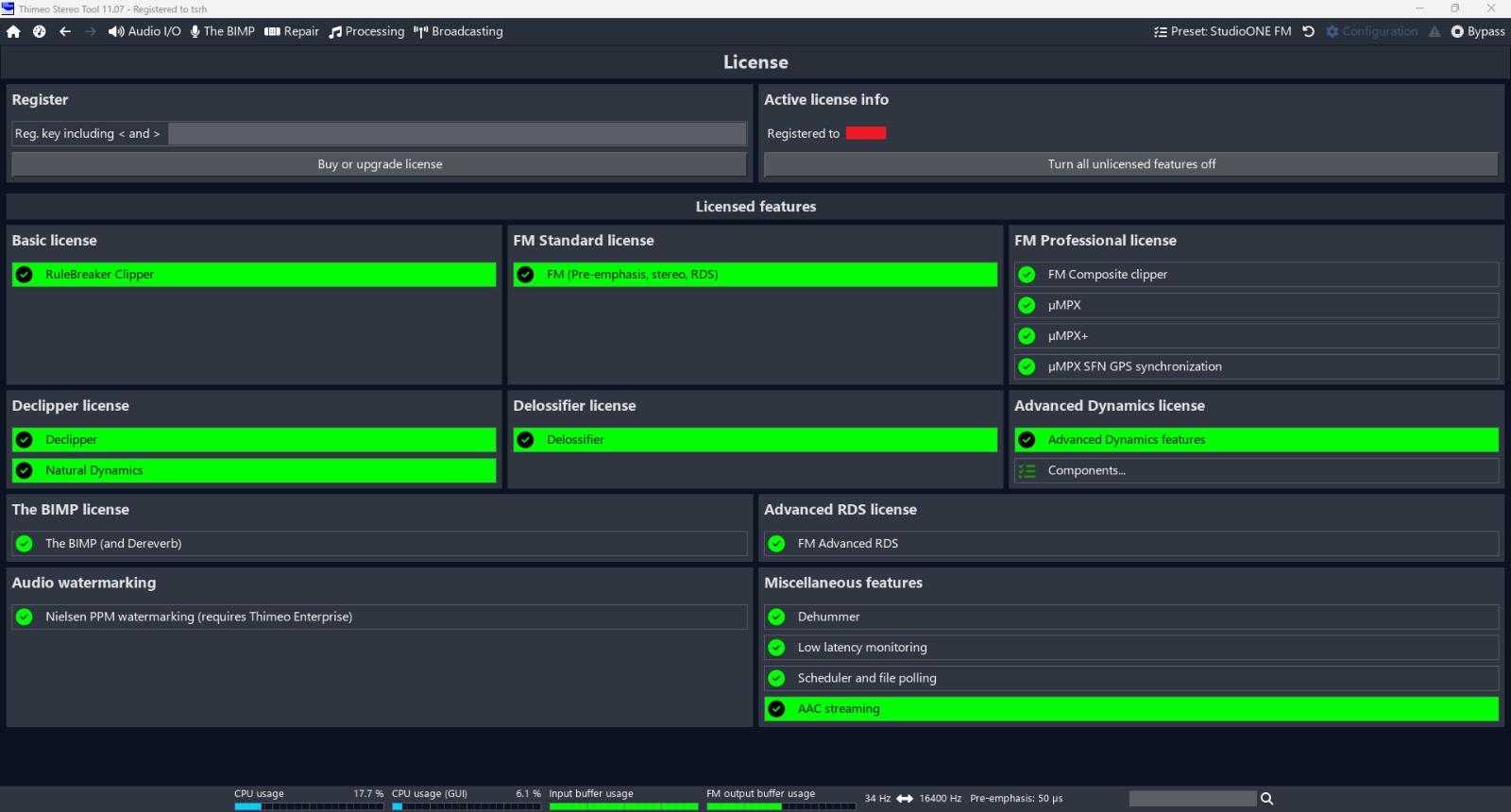
Professional broadcasting requires more than simply transmitting audio. Radio stations need consistent loudness, balanced frequencies, clear vocals, controlled peaks, and reliable sound quality across different listening devices. Thimeo Stereo Tool v11.08 is a software-based broadcast audio processor designed to help radio stations and streaming operators manage these requirements through advanced audio processing technologies.
The software provides a collection of tools for FM, AM, DAB+, HD radio, television, and internet streaming applications. It combines automatic gain control, multiband compression, stereo enhancement, audio restoration, clipping, and specialized broadcast processing in one configurable environment.
Stereo Tool can operate as a standalone audio processor or integrate with compatible playout and streaming applications through supported plugin formats. This flexibility makes it useful for different broadcast setups, from independent internet radio stations to professional FM transmission environments.
What Is Thimeo Stereo Tool v11.08?
Thimeo Stereo Tool is a professional audio processing application developed for broadcast and streaming environments. Its main purpose is to improve and control audio before it reaches listeners or transmission equipment.
Unlike traditional radio automation systems that manage playlists, scheduling, and music playback, Stereo Tool focuses on the audio signal itself. It processes incoming sound and adjusts its characteristics to achieve a more consistent and controlled output.
The software can work with live audio streams and audio files. Depending on the configuration and license, it can provide processing for FM and AM broadcasting, internet radio, DAB+, HD, and television applications.
Its processing environment includes several stages that can be configured to suit different broadcasting styles, audio sources, and transmission requirements.
Key Features of Thimeo Stereo Tool
1. Advanced Automatic Gain Control
Automatic Gain Control (AGC) helps maintain consistent audio levels when input volume changes. Radio stations often receive content from different sources, and the original recordings may have noticeable differences in loudness.
Stereo Tool uses automatic gain control to adjust input levels gradually while responding to larger changes when necessary. This helps create a more consistent listening experience without requiring constant manual volume adjustments.
2. Multiband Audio Compression
The multiband compression system divides audio into multiple frequency ranges and processes them independently. This gives broadcasters more control over bass, midrange, and high-frequency content.
Stereo Tool includes configurable multiband compressors with different processing options. These tools can help maintain balanced sound, control excessive peaks, and improve perceived loudness.
The number of bands and available advanced controls depend on the selected configuration and license.
3. Professional FM Processing
For FM broadcasters, Stereo Tool provides specialized processing features designed for transmission workflows.
Depending on the license, FM-related capabilities include:
- FM pre-emphasis processing
- FM stereo encoding
- RDS and RBDS encoding
- ITU-R BS.412 limiting
- FM composite clipping
- Multipath protection
- Composite signal monitoring
These functions help prepare audio for FM transmission while supporting technical requirements associated with broadcast signal processing.
4. Stereo Enhancement and Phase Control
Stereo presentation is an important part of radio sound quality. Stereo Tool includes multiple stereo widening and enhancement options that allow users to adjust the perceived width of the audio.
Its phase-related processing tools can also help identify and address certain stereo compatibility problems. Mono-compatible processing is particularly useful because some listeners receive radio content through mono playback devices.
Proper configuration is important because excessive stereo widening can negatively affect mono compatibility.
5. Audio Restoration and Declipper
Audio files and live sources may contain clipping distortion, unwanted noise, or compression artifacts. Stereo Tool includes restoration tools designed to improve the quality of problematic material.
Its Perfect Declipper can help repair clipped audio and recover some of the dynamics lost through excessive peak limiting. The Delossifier is designed to improve the sound of lossy compressed audio, while the Dehummer targets unwanted constant-frequency hum.
These tools can be useful when working with older recordings, compressed music libraries, and imperfect audio sources. Availability may depend on licensing.
6. Advanced Equalization and Bass Processing
Stereo Tool includes frequency-control features that help broadcasters shape the tonal balance of their output.
Auto EQ can adjust the frequency spectrum without relying entirely on compression. Bass EQ provides additional control over low-frequency content, while True Bass can generate subharmonic information to improve the perception of deep bass.
Immersive Bass and other enhancement options can also be used to create a fuller sound when configured appropriately.
The objective is to achieve a balanced output rather than simply increasing bass or treble levels.
7. Internet Radio Streaming Support
Stereo Tool is suitable for internet radio applications as well as traditional broadcasting. It includes streaming-related processing and support for IceCast and ShoutCast output in supported configurations.
Its streaming final clipper helps control output peaks and maintain consistent loudness. The software can also process audio before it is sent to a separate streaming encoder or compatible broadcast application.
This makes it useful for online stations that want more control over their audio presentation.
8. MicroMPX Streaming and Transmitter Distribution
MicroMPX is a technology used to transport a complete FM composite signal over an IP connection. It can carry information such as the stereo pilot and RDS data from a studio location to remote transmitter sites.
This approach can simplify certain broadcast distribution workflows by sending the composite signal over an IP network rather than relying exclusively on traditional transmission links.
Stereo Tool includes MicroMPX-related capabilities in supported configurations and licenses. Network reliability, bandwidth, and synchronization requirements should be considered when designing a transmitter distribution setup.
9. Standalone and Plugin Operation
Stereo Tool offers different ways to integrate audio processing into a broadcast environment.
Standalone operation: The application can receive audio from supported sound devices and send processed audio to selected outputs or streaming destinations.
Plugin integration: Compatible VST and other supported plugin formats allow Stereo Tool to work with suitable playout and audio applications.
Virtual audio routing: When a broadcasting application does not support the required plugin format, a virtual audio device can route its output into the standalone processor.
The appropriate method depends on the station’s existing equipment, software, and audio-routing requirements.
What’s New in Stereo Tool v11.08?
Version 11.08 includes several targeted improvements to streaming input handling, backup-input behavior, and MicroMPX monitoring.
Restored libVLC Support
The update restores libVLC support for incoming audio streams. This is useful for configurations that rely on VLC-based input handling as part of their audio workflow.
Revised Backup-Input Switching
The revised backup-input switching behavior introduced in version 11.06 has been reinstated. This is relevant to broadcast environments that use backup sources to maintain audio continuity when the primary input becomes unavailable.
Additional MicroMPX Meters
Version 11.08 adds meters for important FM composite signal components, including:
- FM stereo pilot level
- RDS level
- Composite FM peak level
These measurements provide additional visibility into the signal being processed and can help engineers monitor relevant output levels.
Benefits for Radio Broadcasters
Consistent Audio Presentation
AGC, compression, and limiting tools help maintain more consistent sound levels across different audio sources.
Flexible Broadcast Integration
Standalone operation and supported plugin formats allow Stereo Tool to fit into different studio and streaming configurations.
Improved Audio Quality
Restoration, equalization, and stereo processing tools provide options for addressing common audio problems and refining the output.
Support for Multiple Broadcast Platforms
The software supports workflows for FM, AM, internet streaming, DAB+, HD, and television, depending on the selected license and configuration.
Better Signal Monitoring
MicroMPX meters and other processing indicators help engineers monitor important aspects of the broadcast signal.
System Requirements and Compatibility
System requirements can vary depending on the operating system, processing configuration, plugin format, and number of active instances.
Before installing Stereo Tool v11.08, users should review the following:
- Supported Windows, Linux, or macOS version
- Compatible 64-bit or other platform-specific build
- Processor performance and available memory
- Supported audio input and output devices
- Required VST or other plugin compatibility
- Network configuration for streaming and MicroMPX
- Available license and processing features
Audio processing can be demanding when several advanced stages are active. A capable workstation and properly configured audio devices are recommended for professional broadcast use.
Who Should Use Thimeo Stereo Tool?
Stereo Tool can be useful for several types of audio and broadcasting professionals:
- FM and AM radio station operators
- Internet radio broadcasters
- Broadcast audio engineers
- Streaming service operators
- DAB+ and HD radio professionals
- Television broadcast teams
- Audio technicians managing live transmission chains
It is especially relevant to users who need detailed control over broadcast audio quality and signal processing.
Final Thoughts
Thimeo Stereo Tool v11.08 is a versatile broadcast audio processing solution designed for radio stations and streaming environments. Its combination of automatic gain control, multiband compression, stereo enhancement, audio restoration, and transmission-specific tools provides a flexible platform for managing audio quality.
The 11.08 update adds useful improvements to incoming stream support, backup-input switching, and MicroMPX signal monitoring. These changes are particularly relevant to broadcasters who depend on reliable audio input and transmitter distribution workflows.
Although Stereo Tool offers features that are important to radio operations, it should be understood as an audio processor rather than a complete radio automation system. Stations that need playlist scheduling, music-library management, or presenter automation will require separate compatible software.
Our Paid Service
If you want to Purchase Cracked Version / KeyGen Activator /License Key
Contact Us on our Telegram ID :
Crack Software Policies & Rules:
Lifetime Activation, Unlimited PCs/Users,
You Can test through AnyDesk before Buying,
And When You Are Satisfied, Then Buy It.
 saif